Monorepo as a Platform: PNPM/Yarn Workspace with Git Submodules and Automation
How I built a repeatable, automatable monorepo platform using pnpm/yarn workspaces, Git submodules and a suite of small CLI utilities to clone, bootstrap, add deps, initialize repos, link hosts and run commands reliably.
I like monorepos for shared context and consistent tooling, but I also maintain a few isolated projects that need independent versioning.
For years I reached out for off-the-shelf solutions like nx and Lerna, which are great when you have a full team to maintain them.
These started great but they became monsters to manage, update, maintain. Of course, they turned into mainstream products to monetize.
When you're solo and on small projects you don't need all the bells and whistles and caching strategies. You can't be the product.
Pnpm workspaces and git submodules give me that boundary without giving up the convenience of a unified workspace. The workspace acts as the control plane; submodules act as pluggable service modules I can clone on demand. Each app is isolated and can be cloned individually and be fully functional. Shared packages can easily be published as standalone libraries.
Still, just these two solutions don't cut it completely, I missed some automation so I reached out for some hand made scripts.
The utilities
I wrote a handful of CLI utilities that behave like power tools for the repo. They’re intentionally small, each doing one job well.
- Clone submodules from a config file
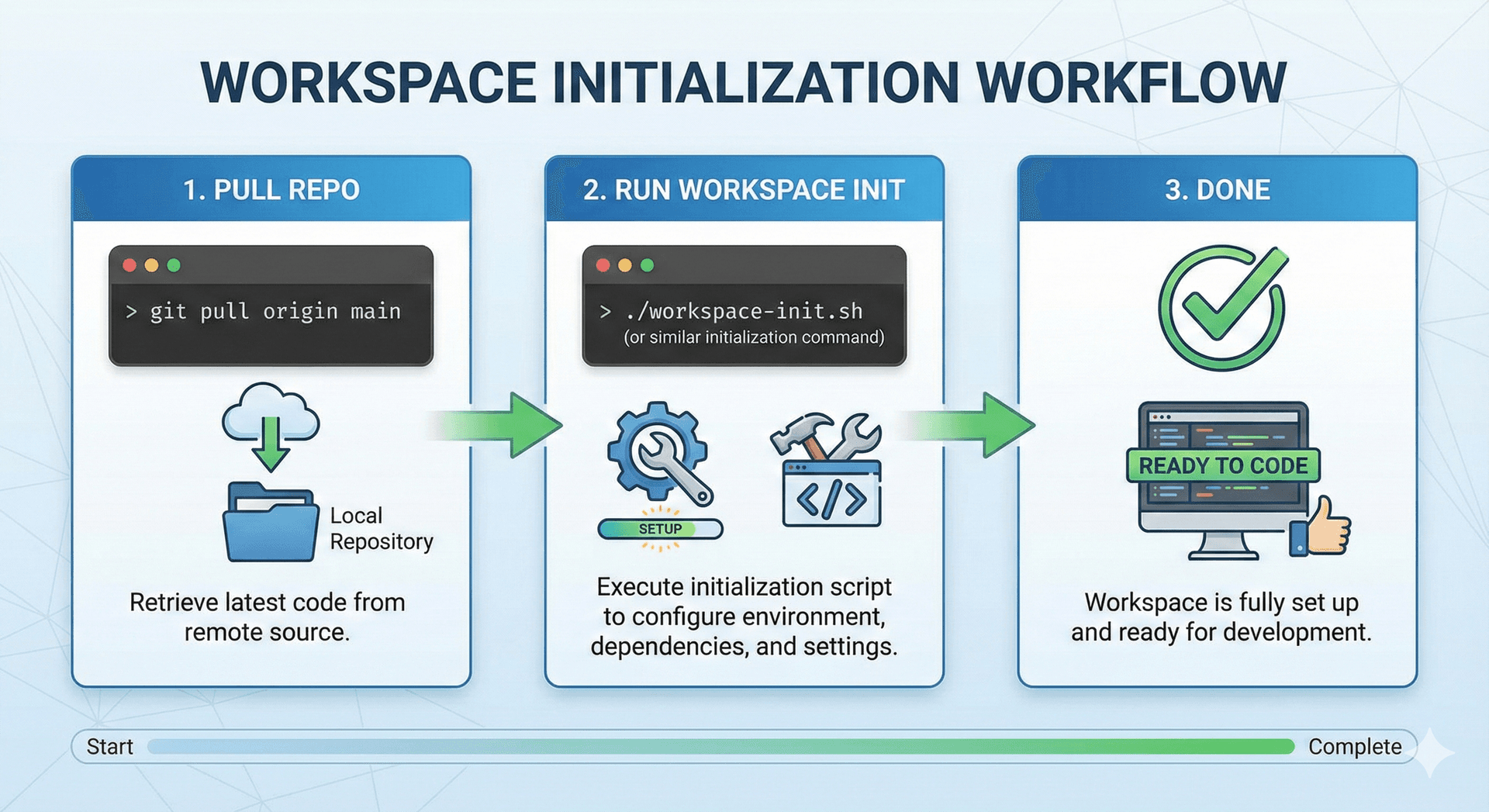
Instead of typing repetitive git submodule add or dealing with half-synced states, I use a config file—submodules.json as the source of truth. One command reads it, checks which submodules exist locally, and clones or updates accordingly.
It means onboarding someone new becomes trivial:
- Bootstrapping apps and packages
I didn’t want to memorize flags for:
npx create-next-app …

rslib init …
So the utility wraps official CLIs with sensible defaults. I can run:
workspace create app dashboard --template next
and it handles:
- creating folder
- running the correct framework CLI
- updating workspace config
- applying opinionated lint/prettier/tsconfig presets
Bootstrapping is now a deterministic operation.
- Adding typical dependencies
Full-stack work always involves the same deps: UI libs, test runners, storybook, logging, analytics, etc.
The utility maintains curated sets:
workspace add testing
workspace add analytics
Each maps to known-good dependency versions plus minimal config scaffolding. It reduces entropy and removes “which version should I use?” from my mental load.
- Initializing git repos and GitHub projects
Creating a new package previously meant:
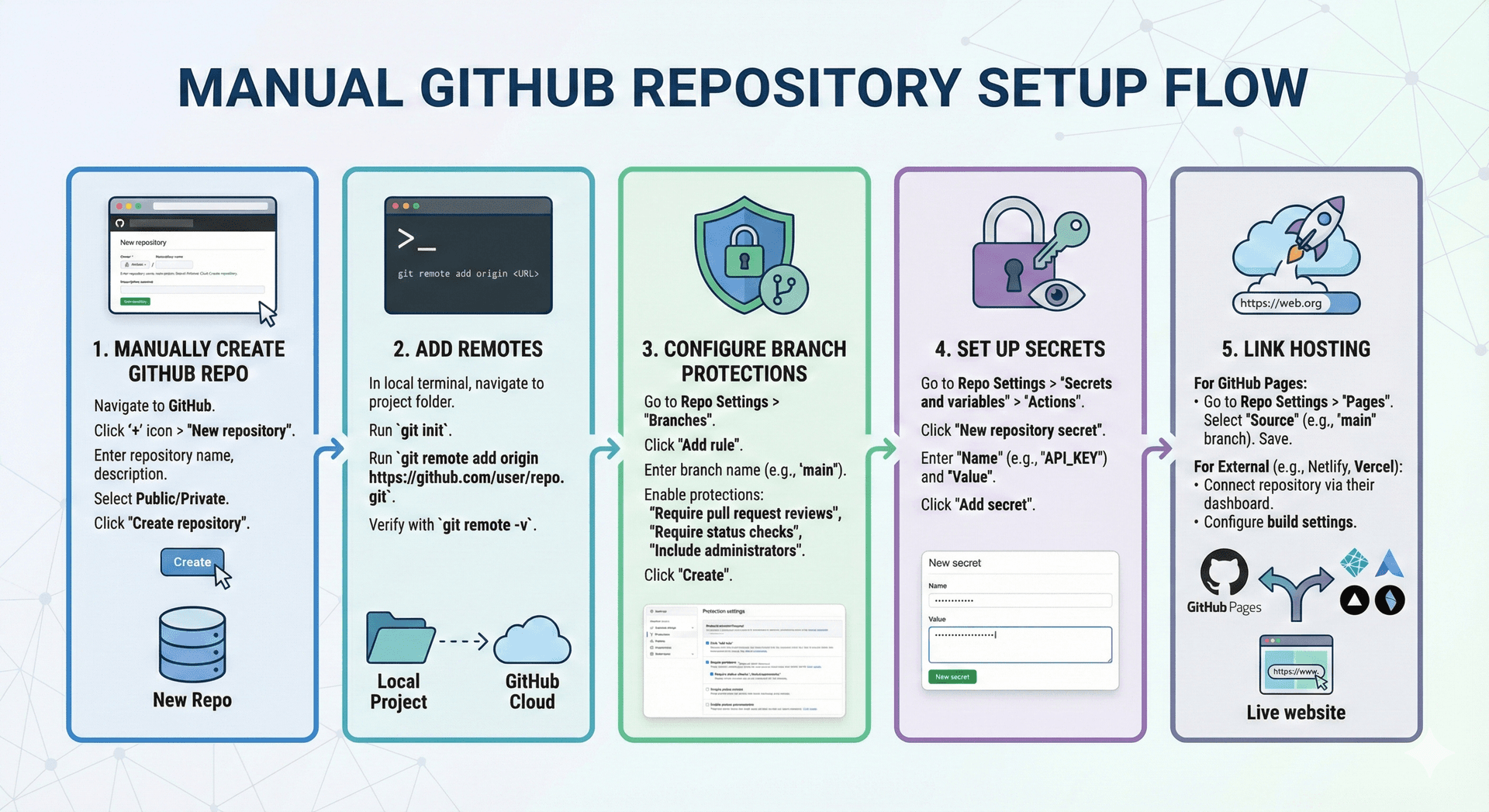
This utility automates:
- creating GitHub repos through the API
- initializing CI templates
- wiring hosting providers (Vercel, AWS) when applicable
- syncing environment variables
The point: I want creation and deployment to be one thought.
- Running commands easily
I wanted to avoid this verbosity:
pnpm -w -F package-name run dev
The util provides shortcuts:
workspace test pkg/core
workspace build all
Under the hood it resolves workspace filters, handles caching, and prints a clear execution graph.
Workflow improvements
The result is a smooth workflow:
New app? One command.
New package? One command.
New team member? One command to sync submodules.
Deployment-ready GitHub repo? One command.
Batch tasks across the workspace? One command.
The workspace stopped being “a repo” and became a system with proper operational UX.
Lessons learned
Monorepo friction is real, but most of it comes from tooling gaps.
A few tiny CLIs can remove 80% of the overhead.
Treating the monorepo as a platform pays off instantly when scaling to more apps and packages.
Coupling monorepo automation with submodules gives the right mix of independence and centralization.
What’s next
I plan to add:
-
automated versioning and release notes
-
policy checks before pushing submodules
This project reminded me that developers deserve good ergonomics too. The repo now feels more like a product than a filesystem.